How Can We Help?
01 – Create Account
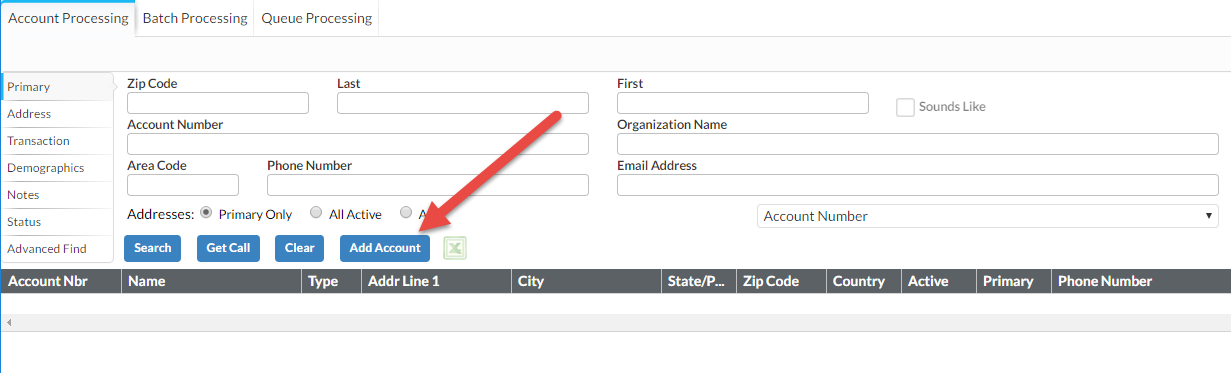
- Start in the Account Processing Component of the Accounts and Transactions module.
- Always begin by performing a Search (by last name) for Accounts to see if the Account exists before trying to add it as a new one.
- If the Account does not exist, select the Add Account button to launch the Entry Form.

- Select the Type of Account in the top right corner of the form.

- Complete the following fields in the Entry Form:
- Spouse Information (if applicable)
- Address (if no address is available, change country to UN to prevent error when saving)
- Phone
- Source code
- Home church code
- Click Save